
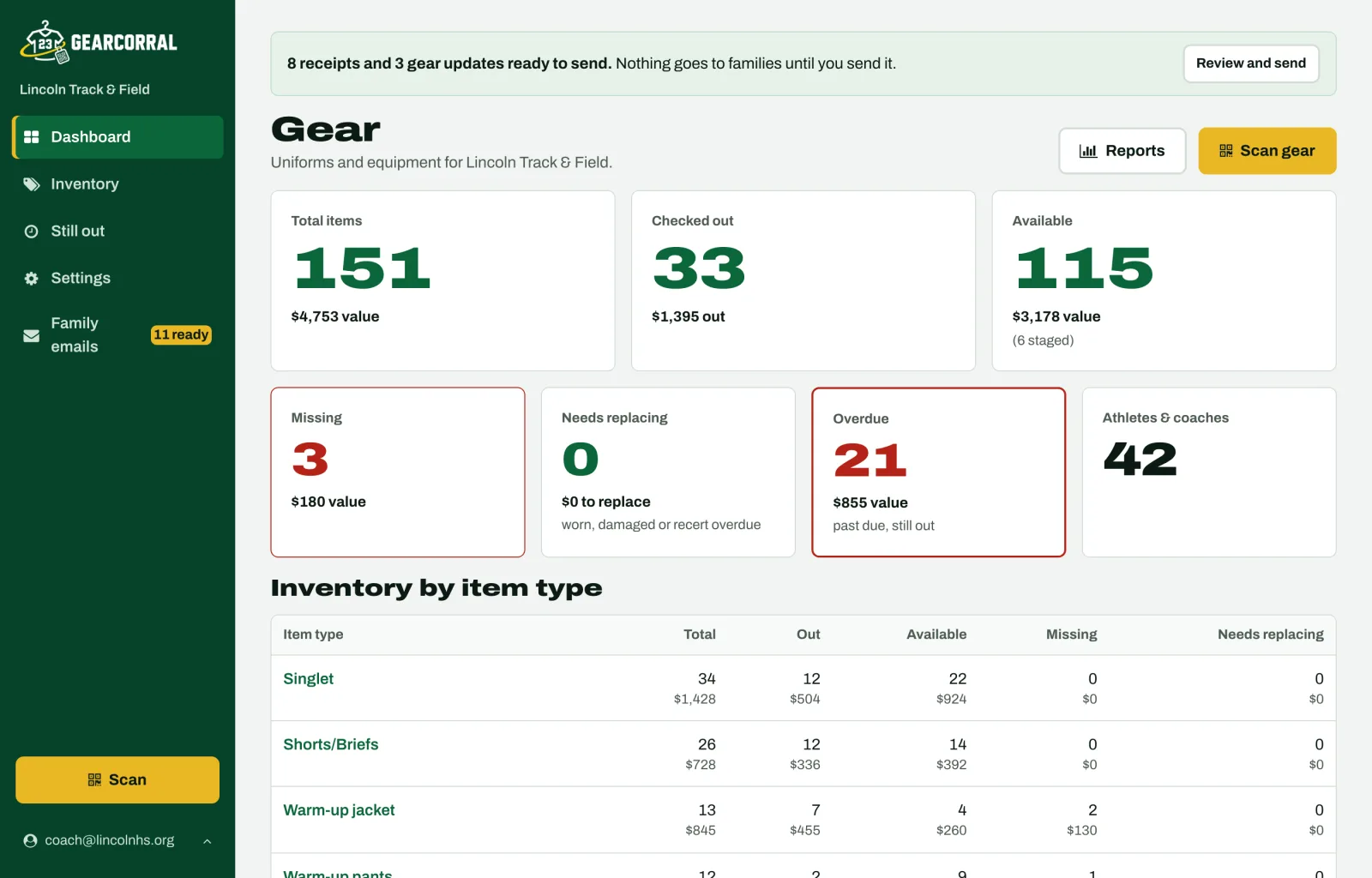
What is GearCorral?
GearCorral is uniform and team-gear checkout software for school athletic programs. Coaches put a QR tag on each piece of gear, from a football helmet and shoulder pads to basketball home and away jerseys, a volleyball warm-up, softball pants or a track singlet, and scan it out to an athlete with a phone. Families get an emailed receipt, gear is scanned back in at season's end, and the still-out list shows who has what and what it's worth. It runs in a phone's web browser with no app to install and no student accounts. It costs $79 per team per season, or $499 a year for every team in a school, and is free through Feb 28, 2027 for teams that start by Dec 31.
The uniform spreadsheet is wrong by the first game.
Kids swap sizes. An away jersey gets left in someone's car. An athlete quits in week three with a warm-up jacket. By the end of the season you're emailing families from memory and guessing at what's missing.
Know what's still out, and what it's worth. GearCorral keeps the list for you: every piece, who has it, and when it's due back.
Label it once
Every piece gets a QR corral tag with a code that never changes.
Hand it out by phone
Pick the athlete, scan, tap Done. Families get a receipt when you send it.
Bring it all back
Scan it back in at season's end. Strays show up with names and dollars.
Watch it work
Sixteen short videos, in the order a season runs. The team and athletes in them are demo data.
Setting up GearCorral
Name your school and first team, start from a sport template, add the uniforms you own and print labels.
Tag it once.
Each piece gets a code that never changes, so the tag outlasts the season.
Watch how · 3:19: Setting up GearCorralPrint corral tags your way
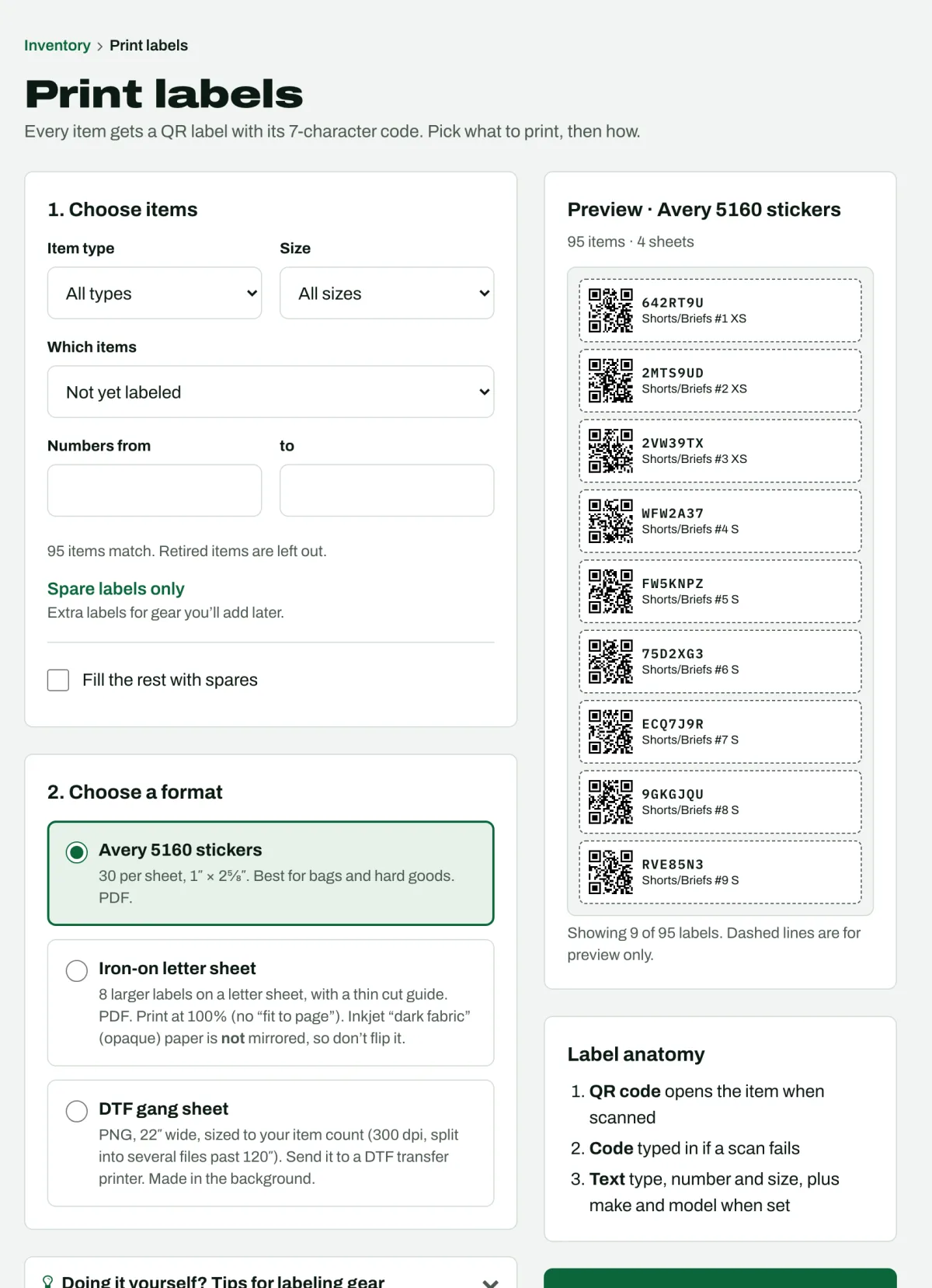
Every item gets its own QR tag with a 7-character code, plus the type, number and size.
Spare tags: print extras before the gear arrives, put one on new gear, or use one to replace a tag that wore off. The old tag still finds the item. Watch how · 2:57: Spare labels and replacing a worn label
Strays find their way home: the QR code is a web link. Anyone who finds a jersey on the bus can point an ordinary phone camera at the tag. No app, no account. It opens a page with your team's name, the item and your return instructions. Watch how · 3:28: Looking up and fixing an item
- Avery 5160 stickers for bags and hard goods
- Iron-on transfer sheet you print at home
- DTF gang sheet to send to a transfer shop
Start from a template or your spreadsheet
Pick your sport's template. Football starts with helmets, shoulder pads, home and away jerseys, and game pants. Basketball starts with home and away jerseys and shorts. Track starts with singlets and shorts, with warm-ups and team bags as extras. Then add items: type how many you have in each size and a number range, and every piece gets its own code.
Already have a list? Import it from a CSV. Nothing is created until you confirm.
Not everything needs a tag
- Returnable:
- tagged, scanned out and back in
- Keep:
- team T-shirts you hand out and don't expect back
- Counted:
- no tags, just how many of each size you own and who has them
Hand it out with your phone.
Scan out in minutes, and parents can help. No app to install: the scanner runs in Safari or Chrome.
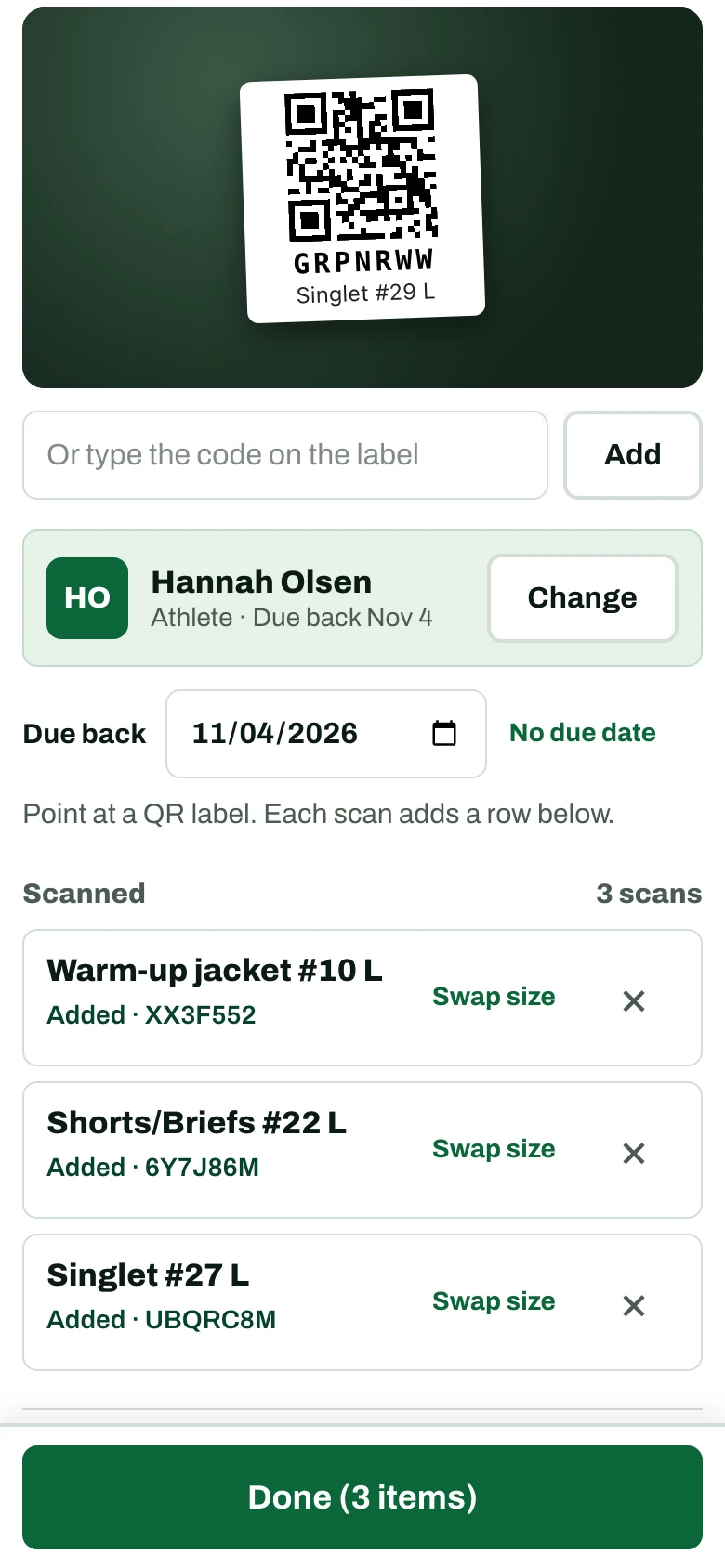
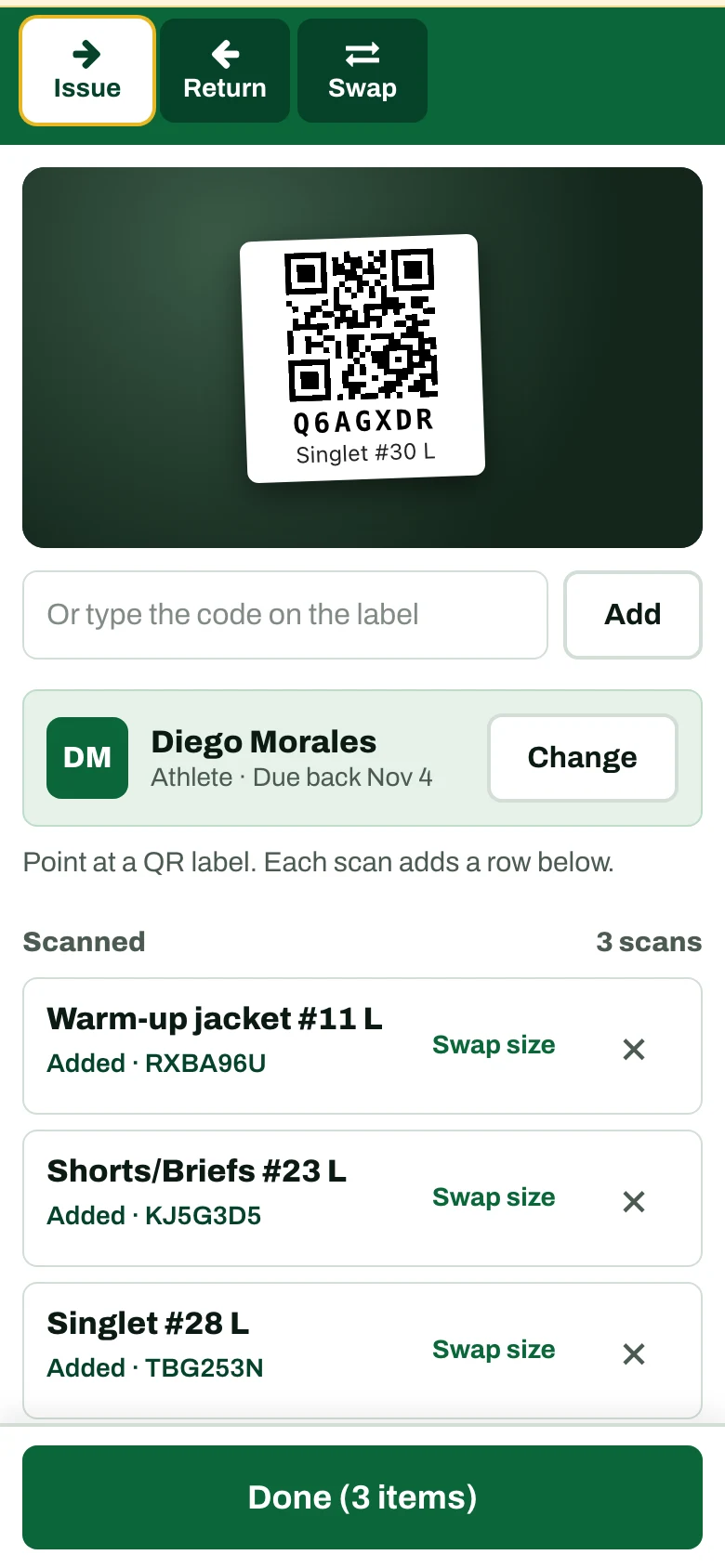
Pick the athlete, scan, tap Done
Point the camera at each tag. Every scan shows the item, number and size, so you catch the wrong size before it goes home. Then call the next athlete. The camera stays on.
Watch how · 2:08: Handing out gear on issue day- Stage: scan gear into an athlete's bag before issue day, then hand over the whole bag at once Watch how · 2:38: Pre-bagging uniforms for issue day
- Return: scan the pile back into the corral and mark anything worn or damaged Watch how · 2:48: Returns and size swaps
- Swap: a small for a medium in one step, same due date
- Lookup: tag gone? Find it by type, number and size Watch how · 3:28: Looking up and fixing an item
- Audit: scan the shelf and see what's missing or misplaced Watch how · 2:14: Auditing the equipment room
Bad signal in the equipment room? Scans save on the phone first and send when you're back online.
Let a parent help on issue day
Make a volunteer link and text it, or let them scan the QR code on your screen. It opens the scanner on their phone with no account.
Watch how · 2:28: Letting a volunteer help on issue day- Hand out, take back and swap sizes. None of your other tools.
- No costs or family contact details shown
- Works on one phone, lasts up to a day, and you can turn it off any time
Families know what they took home.
Families get receipts and reminders, and the front office gets the list. Add up to three parent contacts per athlete. Nothing goes to families until you send it.
A receipt for every hand-out
Every hand-out waits on one send list. You review it and send it, and each contact gets an email listing every item, its replacement cost and the due date. Families can also tell you what they already dropped off. When you scan the gear in, the note clears. If it never shows up, it's flagged "Claimed, not received."
Watch how · 3:17: Sending family emails and handling "I returned this"They can acknowledge it by typing their name, no sign-in. Replies come straight to you.
Watch how · 2:38: What families seeRound up strays in two taps
Open Still out and tap Email reminders. You see who would get one, uncheck anyone you want to skip, then send. Each family gets a list of what they still have. Returned gear drops off the list. Every email has an unsubscribe link.
Watch how · 3:20: Chasing overdue gear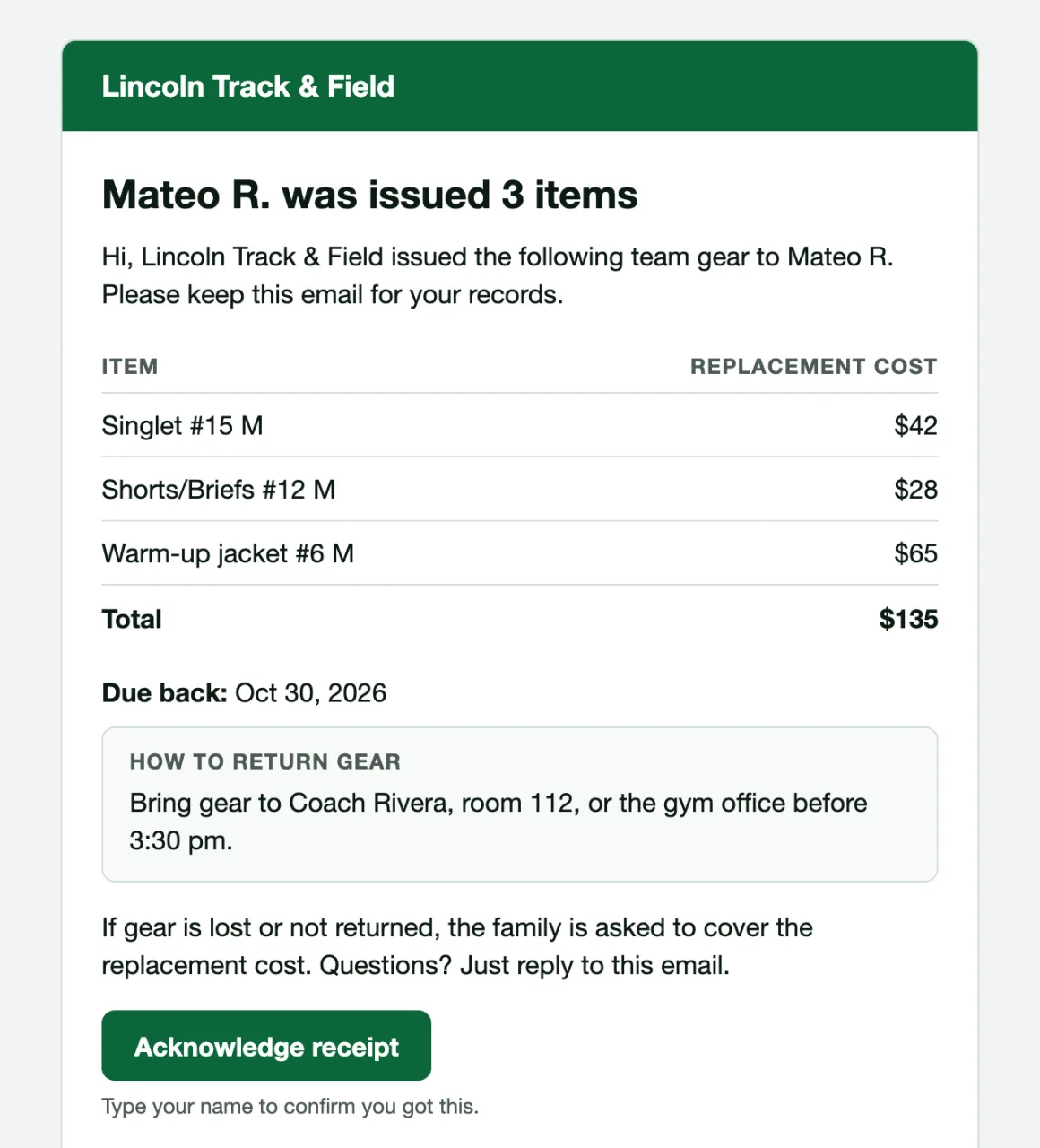
Get sizes before issue day
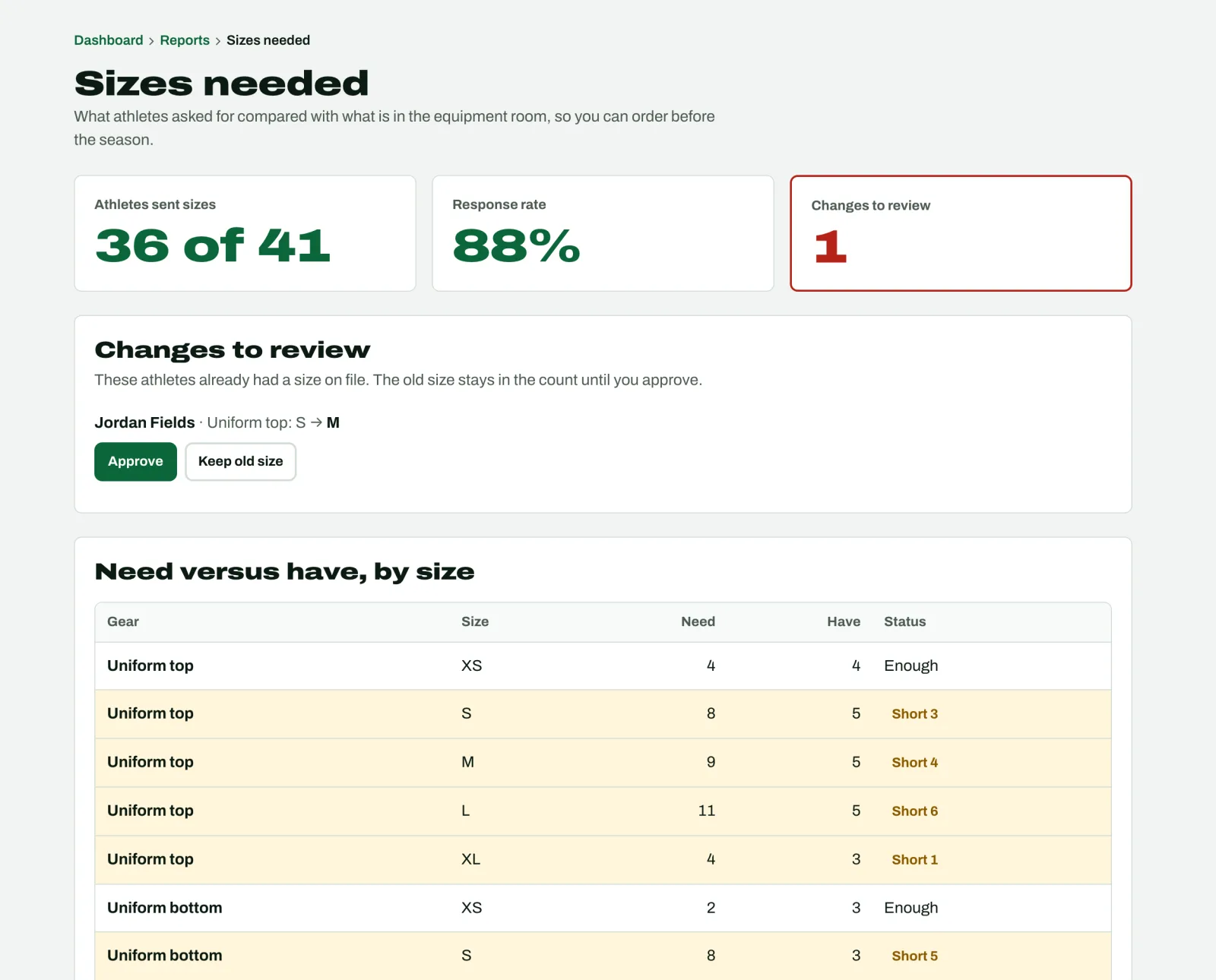
Text families a sizing link. They pick their name and a size for each kind of gear, no account. You see what they need against what's on the shelf, with short sizes flagged, so you can order before the season.
Watch how · 2:52: Collecting sizes and moving gear between teamsClose out the season with real numbers.
See every stray
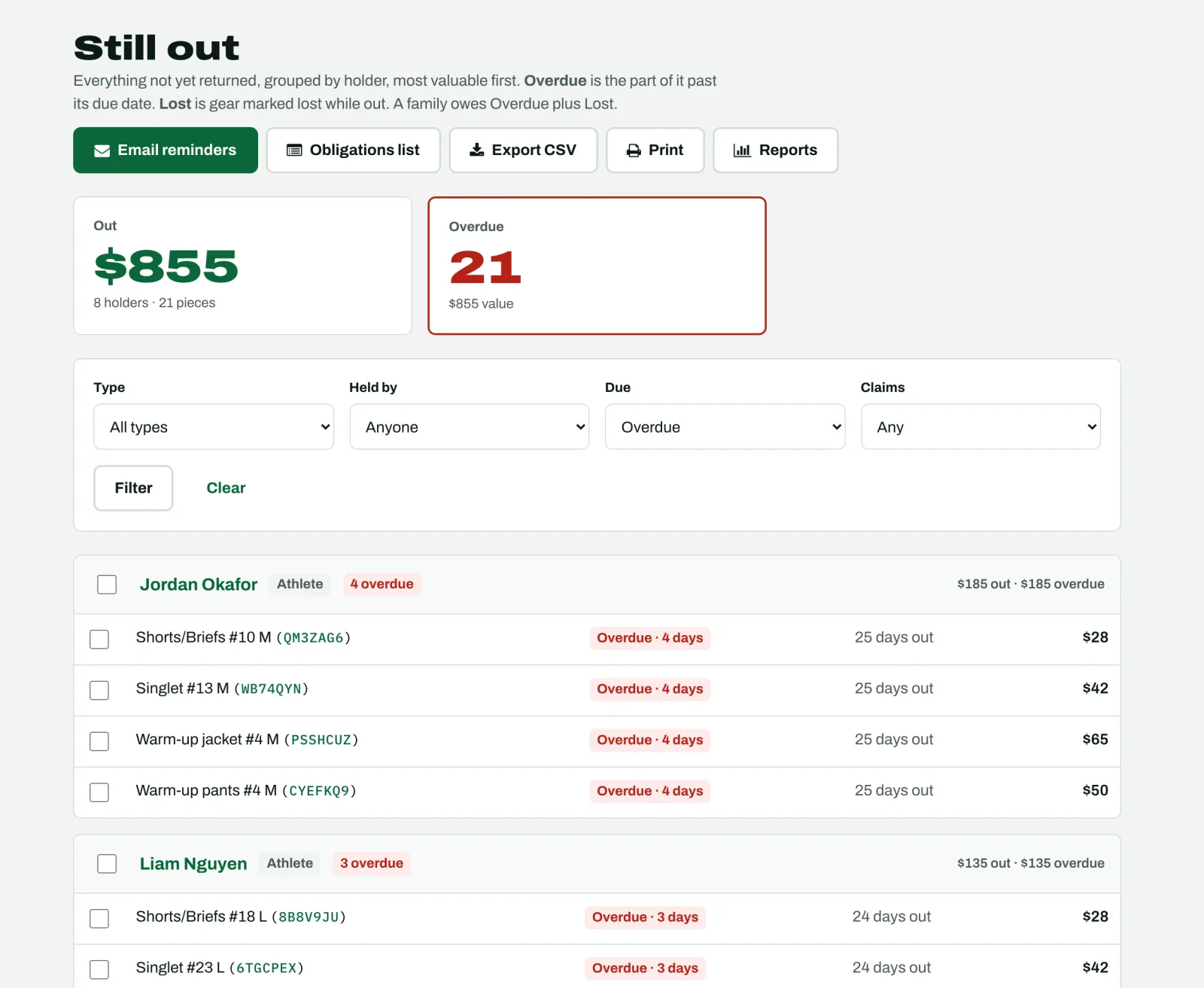
Everything not back, grouped by athlete, most valuable first. The totals show what's out, what's overdue, and what's been lost, in dollars.
Watch how · 2:32: Season end: what's still out and what's owed- Mark what's never coming back as lost
- Hand the front office an obligations list of overdue and lost gear: names, items, dollars owed, nothing else
- Remove an athlete with gear out and GearCorral stops to show you what they still have Watch how · 2:00: When an athlete leaves with gear out
Bring a number to the booster meeting
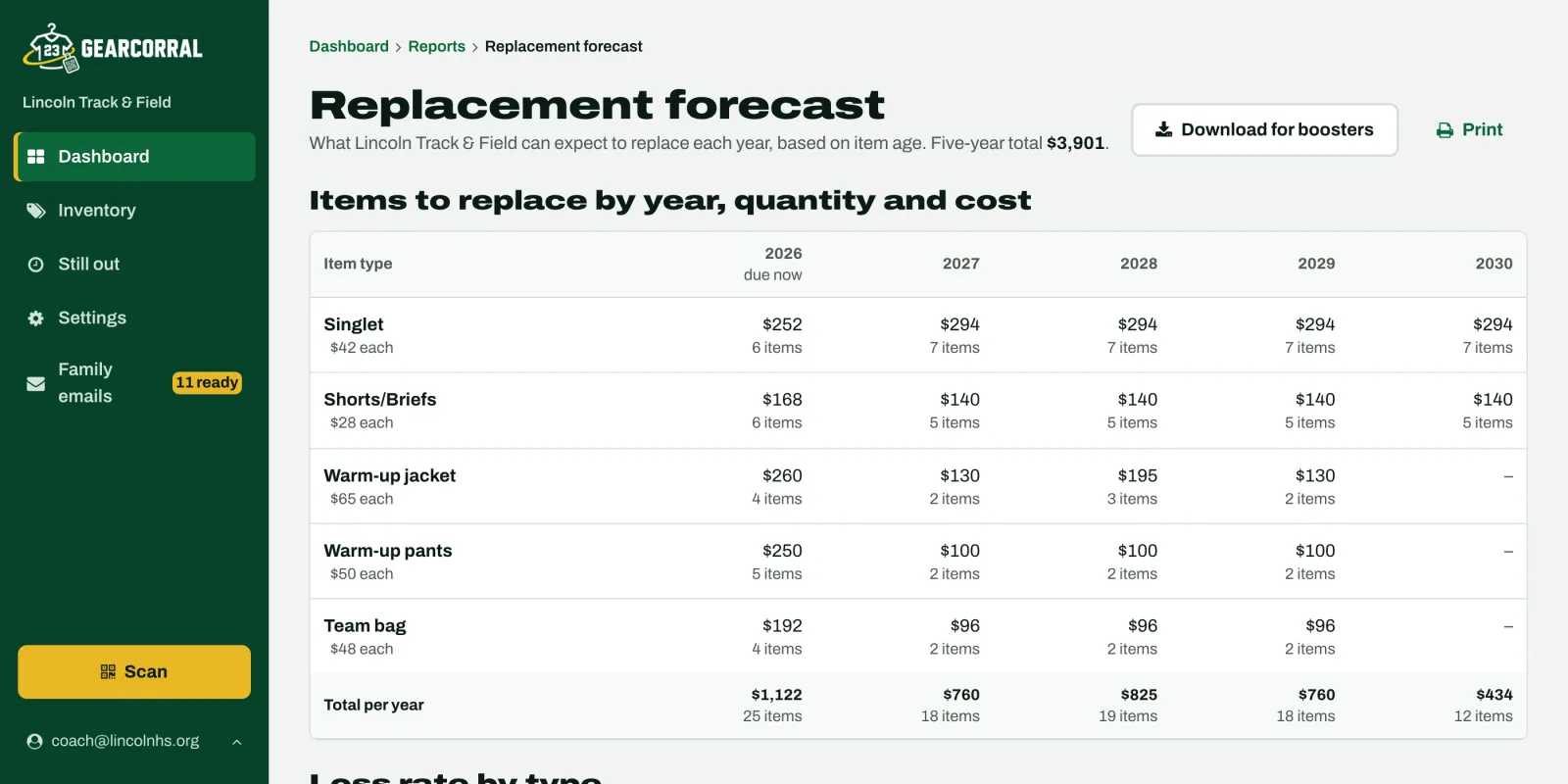
The replacement forecast estimates what you'll need to replace each year from each item's purchase year and today's cost. Download it for your boosters or your athletic director.
Gear that travels to away games
Make a packing list once: the med kit, coach headsets, camera and iPads. Scan the gear out before a game and back in after, and the packing list shows anything that didn't come home.
Watch how · 2:42: Packing gear for a tripWorks for every team's gear
Templates for football, basketball, volleyball, soccer, track and field, and cross country. Build your own for baseball, softball or any other team. Softball pants and a volleyball warm-up get the same QR tag as a football helmet.
See it sport by sportEvery team in your school.
One School Pass covers every team for $499 a year, on one invoice. Coaches run their own teams. The athletic director opens any team's gear from one school page: what's out, who has it and what it's worth. When a coach leaves, the inventory stays with the team.
For athletic directorsStart by Dec 31. Pay nothing until March 1, 2027.
Then $79 per team per season, or $499 a year for every team in your school.
Every feature, unlimited gear and athletes. No demo, no quote, no app to install.
Start free